
Introduction
In today’s digital-first world, security is no longer just about firewalls and passwords it’s about who has access to what, when, and why. From startups running dozens of SaaS apps to global enterprises handling millions of customer identities, one common challenge persists: managing access without slowing down productivity or compromising data security.
That’s where Role-Based Access Control (RBAC) and Access Management step in as the backbone of enterprise cybersecurity. These aren’t just IT buzzwords, they’re the silent gatekeepers ensuring that the right people get the right access to the right systems, every single time.
Think of your organization as a digital city. Every employee, partner, and contractor holds a key, but not everyone should be able to open every door. RBAC ensures that each key fits only where it should, keeping confidential data, customer records, and business-critical applications safe from misuse or exposure.
As cloud adoption, remote work, and API-driven systems expand, identity boundaries are blurring. Users are logging in from different devices, locations, and contexts, making access governance more complex than ever. This evolution demands an intelligent approach to security, one that balances protection, compliance, and user experience without introducing friction.
That’s the role of modern access management frameworks and CIAM platforms. They don’t just secure access, they orchestrate identity across every layer of your organization, ensuring that security scales with growth and innovation.
What is Role-Based Access Control (RBAC)?
Role-Based Access Control (RBAC) is a structured approach to granting permissions not to individuals, but to roles that represent specific job functions. Instead of assigning access manually for every employee, permissions are bundled into predefined roles such as “Manager,” “Developer,” “HR Executive,” or “Finance Analyst.” When a new employee joins, they simply inherit the access tied to their role, no redundant approvals or forgotten privileges.
As organizations scale, keeping track of who has access to which systems can quickly spiral into chaos. This is where Role-Based Access Control (RBAC) brings order to the complexity.
This approach is built on one simple yet powerful principle: least privilege. Users get access only to the information and tools necessary for their responsibilities, nothing more, nothing less. That means even if an account is compromised, the potential damage is contained within the scope of that specific role.
A well-implemented RBAC system doesn’t just reduce risk, it also simplifies day-to-day operations. Need to promote an employee or shift someone to a new department? Instead of manually updating every access point, you just reassign the user’s role. The system automatically updates their permissions in real time.
But RBAC is more than a security measure; it’s an enabler of trust and efficiency. It lets IT teams enforce consistent access policies across departments, cloud services, and applications all while giving employees frictionless access to the tools they need. In hybrid workplaces where employees constantly switch between on-site and remote systems, RBAC ensures continuity, compliance, and control without creating bottlenecks.
In short, RBAC translates business structure into digital security logic, giving organizations a clean, scalable way to govern access across modern ecosystems.
How Does RBAC Work?
Behind the simplicity of RBAC lies a well-orchestrated system of roles, permissions, and policies. Here’s how it functions in practice:
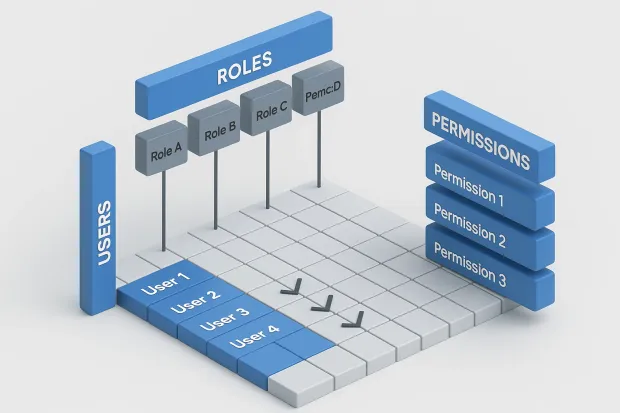
Every organization defines a set of roles aligned with its hierarchy and operations. Each role includes a collection of permissions rules that specify what a user in that role can view, edit, or manage.
For instance:
-
A Sales Manager might have access to customer databases, CRM dashboards, and performance reports.
-
A Developer can access staging environments and code repositories but not customer data.
-
A Finance Executive can view invoices and payment details but not source code or product configurations.
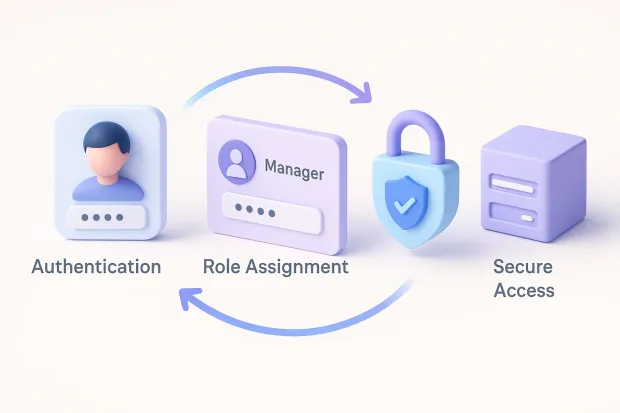
Once these roles are created, users are assigned to them based on their responsibilities. The RBAC system then automatically controls access across integrated applications, databases, and cloud platforms.
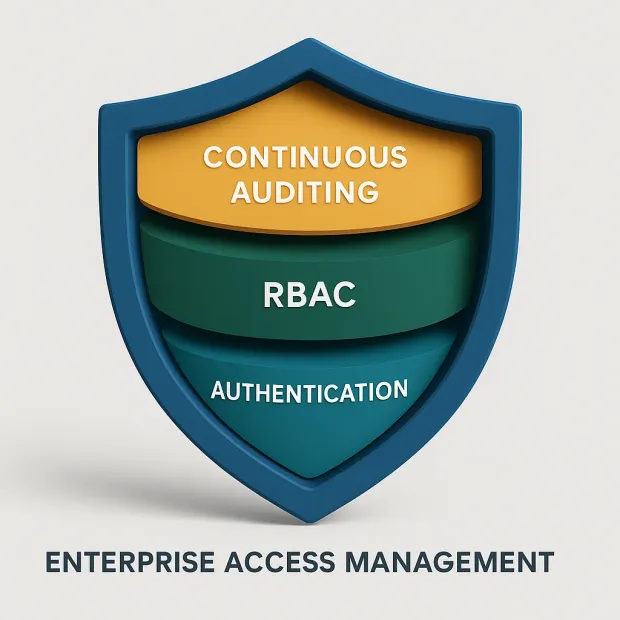
Modern RBAC systems go beyond static permissions. They integrate with identity and access management (IAM) frameworks, multi-factor authentication (MFA), and audit tools to create a layered security environment. This integration allows organizations to enforce adaptive policies for instance, restricting access from unknown devices or triggering step-up authentication during high-risk actions.
Over time, as organizations grow and evolve, RBAC must also adapt. That’s why continuous monitoring and role optimization are critical. Regular audits ensure that roles remain aligned with current business needs and that unnecessary privileges are removed, keeping your security posture tight and compliant.
Benefits of Implementing RBAC
RBAC’s value extends far beyond access control it touches security, compliance, efficiency, and business agility. Let’s explore the key benefits that make RBAC a cornerstone of modern CIAM architecture:
1. Strengthened Security:
RBAC minimizes the risk of unauthorized access by ensuring users only interact with data relevant to their roles. This controlled access reduces the impact of insider threats and limits damage from compromised credentials.
2. Simplified Compliance:
From GDPR to HIPAA and ISO 27001, data privacy regulations demand clear accountability for who can access sensitive data. RBAC provides a traceable, auditable framework that satisfies these compliance requirements effortlessly.
3. Operational Efficiency:
Granting or revoking access manually is error-prone and time-consuming. RBAC automates this process, saving IT teams countless hours and reducing administrative overhead, especially when employees change roles or leave the organization.
4. Enhanced Auditability:
Because permissions are tied to roles, it’s easy to generate access reports for audits. Security teams can instantly trace who accessed what, when, and why a crucial capability for risk management and incident response.
5. Scalability and Consistency:
Whether you’re a 50-person startup or a 10,000-employee enterprise, RBAC scales effortlessly. It maintains consistent access policies across all departments and digital environments, reducing confusion and ensuring uniform security enforcement.
RBAC isn’t just about restriction, it’s about empowering secure productivity. Employees get the access they need without roadblocks, and organizations maintain peace of mind knowing every access point is under control.
What is Access Management?
If RBAC defines who can access what, Access Management answers how and when they access it. It’s the broader strategy that orchestrates authentication, authorization, and identity verification across an organization’s ecosystem.
Access Management encompasses every stage of the user journey from onboarding to offboarding, ensuring each interaction with your system is secure, traceable, and policy-driven. It’s the backbone of identity and access management (IAM) and Customer Identity and Access Management (CIAM) frameworks, combining security and convenience into a single, cohesive experience.
Let’s break down its key components:
1. Authentication:
This verifies user identity before granting access. Today, this often involves multi-factor authentication (MFA), passwordless logins, or biometric verification all designed to reduce dependency on passwords and strengthen identity assurance.
2. Authorization:
Once authenticated, the system checks what resources the user is permitted to access. This is where RBAC integrates by determining permissions based on assigned roles.
3. Audit and Reporting:
Every access request, approval, and denial is logged. These records are invaluable for compliance, forensic analysis, and detecting suspicious activity.
4. Identity Lifecycle Management:
This covers the full timeline of a digital identity creation, modification, suspension, and deletion. When an employee leaves or changes departments, their access is automatically updated, eliminating security gaps caused by inactive accounts.
Modern access management isn’t just about protection, it’s about delivering frictionless user experiences. Whether customers are logging in from mobile apps, employees from corporate VPNs, or partners via APIs, the system ensures seamless, secure access without compromising performance.
RBAC vs. Access Management
While Role-Based Access Control (RBAC) and Access Management often appear side by side, they serve different yet deeply interconnected purposes in securing an organization’s digital environment.
To understand their distinction, think of RBAC as the structure and access management as the system that keeps that structure alive and functioning.
RBAC is a method of a rulebook that defines who can do what. It assigns permissions based on job roles and responsibilities. For example, in a retail company, a “Store Manager” role might include access to inventory systems and daily sales dashboards, while a “Cashier” role might only include the billing interface. RBAC ensures these access boundaries are clearly drawn, preventing accidental or intentional misuse.
Access Management, on the other hand, is the framework that enforces, monitors, and governs those permissions across your entire digital landscape. It doesn’t just define roles, it ensures those roles are authenticated, verified, and continuously monitored every time a user logs in or makes a request to access resources.
Here’s how the two work together:
| Aspect | Role-Based Access Control (RBAC) | Access Management |
|---|---|---|
| Focus | Defines and organizes user permissions based on roles. | Enforces authentication, authorization, and auditing of access. |
| Function | Determines what a user can access. | Determines how, when, and under what conditions they can access it. |
| Scope | Subset of Access Management; role-centric. | Broader IAM layer that includes RBAC, MFA, SSO, and lifecycle management. |
| Key Benefit | Simplifies permission assignment and minimizes privilege creep. | Delivers end-to-end visibility, security, and user experience. |
In practice, RBAC lives inside Access Management as one of its core pillars. While RBAC offers a logical framework for assigning permissions, access management systems operationalize it by authenticating identities, applying risk-based controls, and monitoring every interaction.
For instance, a user’s role may grant them access to a financial dashboard, but access management decides:
-
whether that user’s device is trusted,
-
if they’re logging in from an unusual location,
-
whether to prompt for multi-factor authentication (MFA), and
-
how long their session should remain active.
This integration between RBAC and Access Management is critical in modern Customer Identity and Access Management (CIAM) systems, which handle not just employees but also customers, vendors, and external partners. It ensures that security isn’t siloed, it’s context-aware, adaptive, and frictionless.
RBAC sets the rules; Access Management enforces and refines them in real time. Together, they form the backbone of a zero-trust architecture where access is earned, not assumed.
Implementing RBAC: A Step-by-Step Framework
Implementing RBAC isn’t just a technical project it’s a cross-functional strategy that requires collaboration between IT, HR, compliance, and security teams. When done right, it can significantly improve operational agility and reduce security risks. Let’s walk through a best-practice framework that enterprises follow in 2025.
Step 1: Discover and Analyze Roles
Start with visibility. Before assigning roles, you need a deep understanding of how your organization operates. Identify every department, its core functions, and the systems it interacts with.
This discovery phase often involves data mapping workshops, where security and HR teams document who needs access to what and why.
For instance, the “Marketing” team might need analytics dashboards and campaign tools, while “Engineering” teams need access to repositories and CI/CD pipelines. Categorize access into broad groups View, Edit, Approve, Administer, and start defining initial roles based on these patterns.
Pro Tip: Use automation or IAM tools that can analyze existing access logs to recommend preliminary role groupings. This saves hours of manual work and uncovers hidden privilege overlaps.
Step 2: Define Roles and Permissions Clearly
Once you’ve mapped out key job functions, it’s time to formalize them into roles.
For each role, determine the specific permissions and actions required to perform those responsibilities. This is where the principle of least privilege comes in only assign access that’s absolutely necessary.
A few best practices:
-
Separate duties to prevent conflict of interest (e.g., finance teams shouldn’t approve their own transactions).
-
Document every permission it helps during audits and reduces confusion later.
-
Design reusable role templates that can easily be applied across users or departments.
Clear documentation of roles and permissions ensures consistent access control, easier audits, and faster onboarding for new employees.
Step 3: Assign Roles to Users with Governance in Mind
Now that your roles are defined, assign them to users based on job titles and responsibilities. This step benefits immensely from automation and policy-based provisioning.
Modern IAM or CIAM platforms like LoginRadius can automatically assign roles when a new user is created, pulling data from your HR system or directory service (like Active Directory or Okta Universal Directory).
For example:
-
When an employee joins the finance team, the system automatically grants them the “Finance Analyst” role.
-
If they move to the “Operations” team later, the old access is revoked and replaced instantly.
This dynamic provisioning prevents privilege creep, a common security risk where users retain access to systems long after they’ve changed roles or departments.
Step 4: Implement Continuous Monitoring and Auditing
An RBAC model isn’t a “set and forget” system. Continuous monitoring ensures your access policies evolve with your organization.
-
Audit regularly: Schedule periodic reviews to confirm that roles and permissions remain accurate.
-
Track anomalies: Monitor login attempts, failed authentications, or privilege escalations that may signal insider threats.
-
Generate compliance reports: Use automated reporting to satisfy audits under regulations like GDPR, HIPAA, PCI-DSS, or SOC 2.
Modern IAM tools can flag unusual access behaviors automatically such as an HR employee attempting to access engineering systems giving you real-time insight into potential threats.
Step 5: Optimize and Scale Over Time
Organizations evolve new departments emerge, technologies change, and roles shift. To keep your RBAC system relevant, make optimization an ongoing process.
-
Conduct access recertification campaigns every quarter or biannually.
-
Merge or retire redundant roles that no longer serve a purpose.
-
Integrate RBAC with AI-based access analytics to identify underused roles or risky access patterns.
As your organization grows, your RBAC framework should scale effortlessly not create new bottlenecks. A well-designed RBAC model can handle thousands of users and applications with minimal administrative overhead, especially when backed by a centralized CIAM platform.
Step 6: Extend RBAC to External Users and Partners
In modern ecosystems, access isn’t limited to employees vendors, contractors, and partners often need temporary access too. Your RBAC framework should extend securely to these non-employee identities without compromising internal security.
Implement temporary or time-bound roles, enforce stricter authentication (like MFA), and set automatic expiration dates for access. This ensures external users remain productive without introducing unnecessary risks.
Step 7: Integrate RBAC into Your Broader Access Management Strategy
Finally, connect your RBAC model to the rest of your Access Management and IAM architecture.
Integrations with SSO (Single Sign-On), adaptive MFA, and risk-based policies turn RBAC from a static rulebook into a dynamic, responsive security layer.
When combined with analytics and identity orchestration, your RBAC system can make intelligent, real-time access decisions for example:
-
Trigger MFA if a user accesses sensitive data from an unusual location.
-
Revoke session tokens automatically when role changes are detected.
-
Enforce passwordless login for verified roles while keeping high-risk roles on stricter authentication.
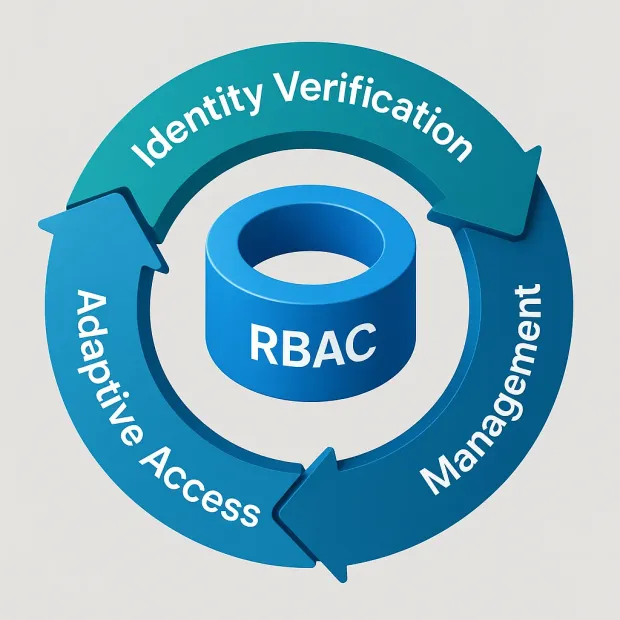
This synergy between RBAC and Access Management delivers a Zero Trust-ready identity ecosystem, one where access is not assumed, but constantly verified and refined.
Implementing RBAC isn’t about adding more security gates, it’s about building smarter ones. It streamlines how organizations manage identities, enforce compliance, and scale securely without slowing innovation.
Real-World Example: RBAC in Action
Consider a modern hospital using RBAC to protect patient data:
-
Doctors have access to patients' medical histories to provide care.
-
Nurses can access only the records of patients under their supervision.
-
Billing staff can view invoices but cannot access clinical data.
This ensures data confidentiality, compliance with healthcare regulations like HIPAA, and operational efficiency. Every role serves a clear purpose, and every access request is justified by function not convenience.
Similarly, in a SaaS company, RBAC can separate access between development, sales, and finance teams. Developers can push code, but only product managers can approve releases. Finance can review revenue dashboards but can’t modify product infrastructure. The result? A security-first culture that promotes trust, clarity, and accountability.
Challenges in Implementing RBAC
Despite its advantages, RBAC implementation isn’t always straightforward.
1. Complex Role Design:
Defining roles in large organizations can be daunting. Overlapping responsibilities can lead to “role explosion,” too many roles with too little distinction.
2. Maintenance Overhead:
As the company evolves, so do job functions. Without regular updates, outdated roles can create hidden security risks.
3.User Awareness:
Employees must understand why access control exists and how it protects the organization. Security awareness programs help foster a culture of responsibility and compliance.
To overcome these challenges, leading organizations pair RBAC with AI-driven access analytics and policy orchestration tools. These automate role management, detect anomalies, and ensure continuous compliance turning what used to be a static framework into a dynamic, intelligent system.
Conclusion
In an era where digital identities are more valuable than gold, access management is no longer optional it’s foundational. Role-Based Access Control provides the precision, while access management delivers the flexibility and intelligence needed to protect modern enterprises.
Together, they create a unified defense ensuring that security doesn’t slow innovation but accelerates it. By embracing RBAC and modern access management, organizations can confidently navigate complex IT landscapes, comply with global regulations, and earn the trust of their users.
If your organization is ready to simplify access governance while staying compliant and future-ready, consider integrating a modern CIAM platform like LoginRadius.
With built-in RBAC capabilities, adaptive access policies, and AI-powered monitoring, LoginRadius helps enterprises unify identity, strengthen trust, and scale securely without complexity. Because in the end, great security isn’t about saying “no” to access; it’s about making sure the right people always have a secure way to say “yes.”
FAQs
Q: What is Role-Based Access Control (RBAC)?
A: RBAC is a security model that assigns system access based on user roles within an organization. It ensures that users only access the information necessary for their job functions.
Q: How is RBAC different from Access Management?
A: RBAC defines who can access what through roles and permissions, while Access Management governs how and when users access resources including authentication, authorization, and auditing.
Q: Why is RBAC important for data security?
A: RBAC minimizes unauthorized access, reduces insider threats, and supports compliance with regulations like GDPR and HIPAA by enforcing least-privilege access policies.
Q: Can RBAC scale with enterprise growth?
A: Yes. Modern IAM and CIAM platforms like LoginRadius allow RBAC to scale dynamically, automatically updating roles and permissions as users, teams, and applications grow.



